Thunderbird version: 140.6.0esr on Kubuntu 24.04
I use three different computers. I also use RSS feeds to get some of my news. For a while, I was paying for an online service that managed my RSS feeds. But I found I wasn’t accessing it enough to justify the cost. Since I have switched to Thunderbird for managing my email, I figured I’d try out the RSS feed manager as well. The primary drawback to using Thunderbird for this is that it doesn’t synchronize my RSS feeds across my computers. But, again, I don’t use my RSS feeds enough to really justify worrying about that.
What I wanted to figure out, though, was how to export all of my RSS feeds from one computer and import them into Thunderbird on another computer so I didn’t have to set them all up again. Thunderbird being open source and designed for people like me, this wasn’t hard to do. But I didn’t see many good online tutorials. I figured I’d put together a tutorial so I don’t have to figure it out again.
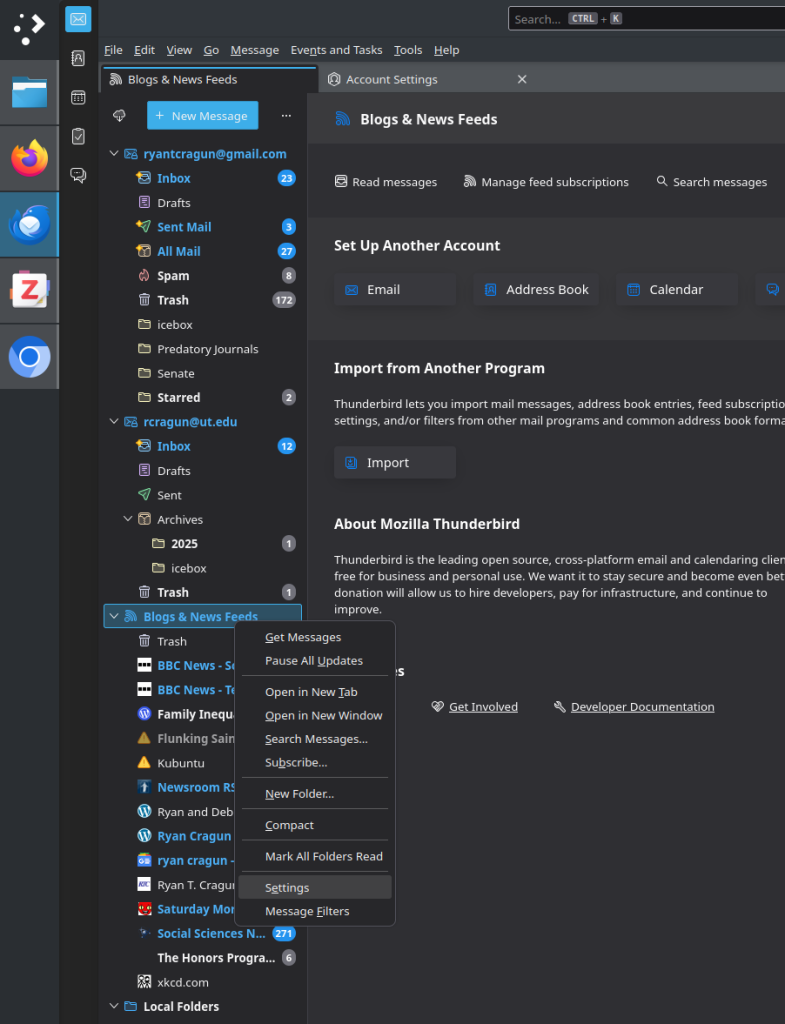
Start by getting on the computer where you have all of your feeds set up. Right-click on “Blogs and News Feeds” and select “Settings”

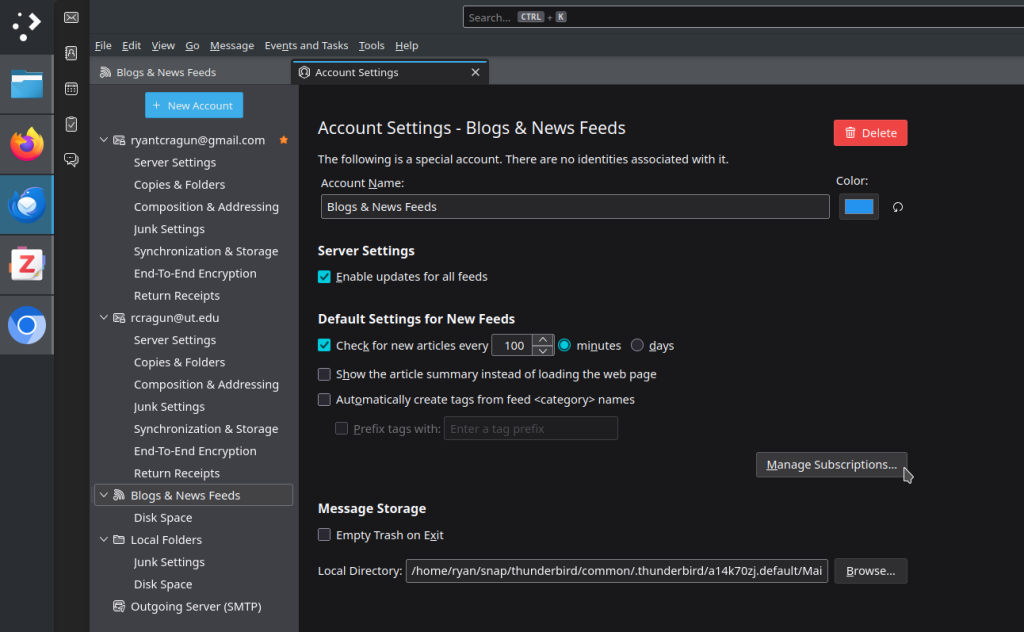
You’ll get a new tab labeled “Account Settings.” Look for “Manage Subscriptions” on that tab:

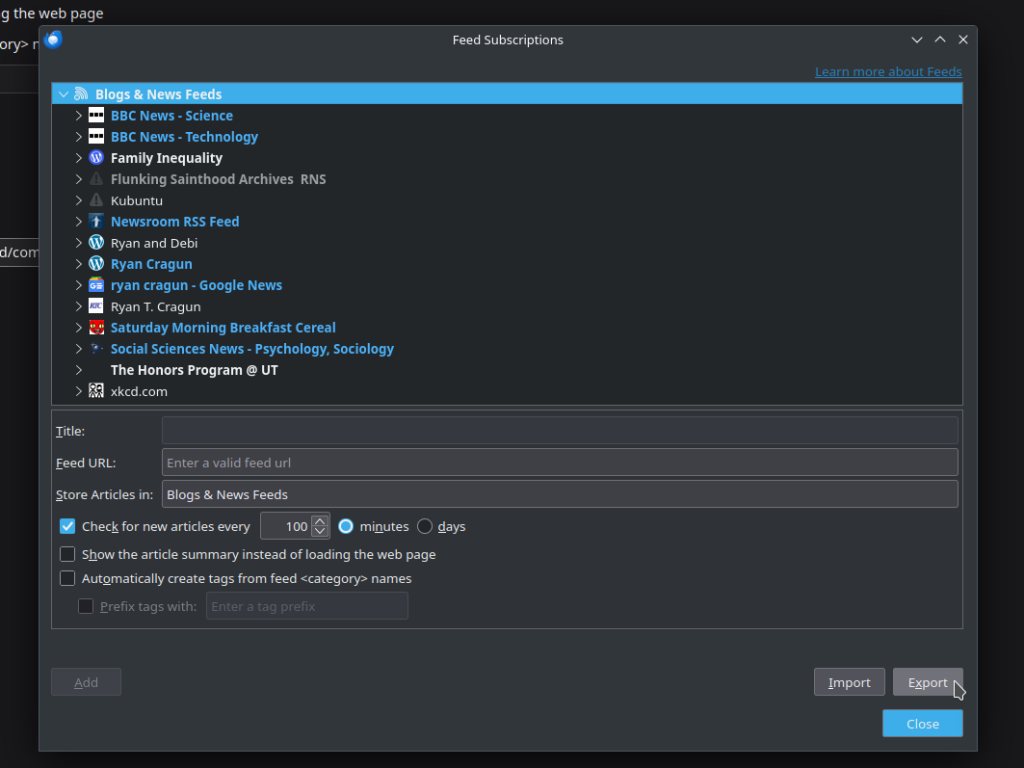
You’ll get a new window. That window will show you all of your feeds and subscriptions. You’ll want to select the “Export” option on the bottom right:

You’ll get a new window asking you where to save the .opml file, which is an XML file with all of your feed information:

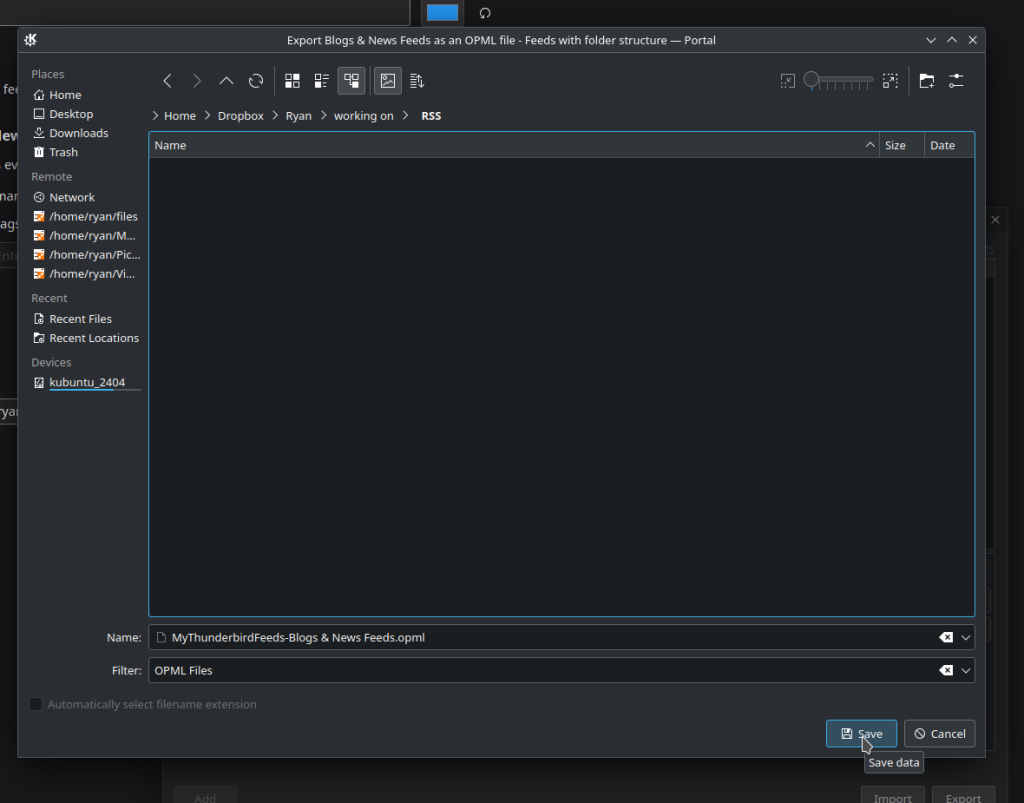
You now have a complete list of all of your feeds with the subscription information.
Now, you need to import that into your Thunderbird installation on your other computer. Follow the same basic steps to get to that window on your other computer: right-click on “Blogs and News Feeds” and select “Manage Subscriptions.” In that new window, you’ll see an option to “Import”:

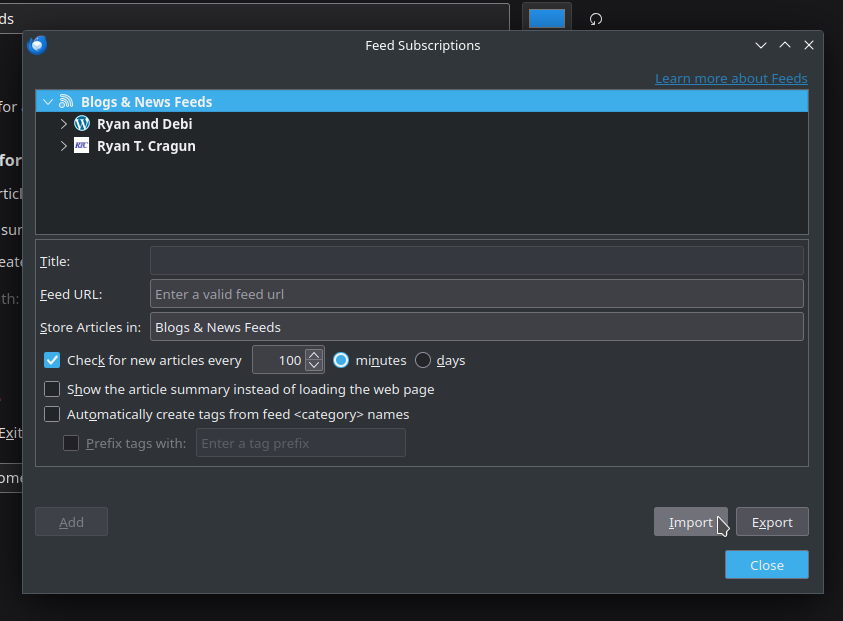
You’ll see I had already added two feeds. Turns out, the Thunderbird importer is smart enough to not replicate those, as you’ll see in the next screenshot. Select your OPML file and hit OK. Thunderbird will import all of the feeds:

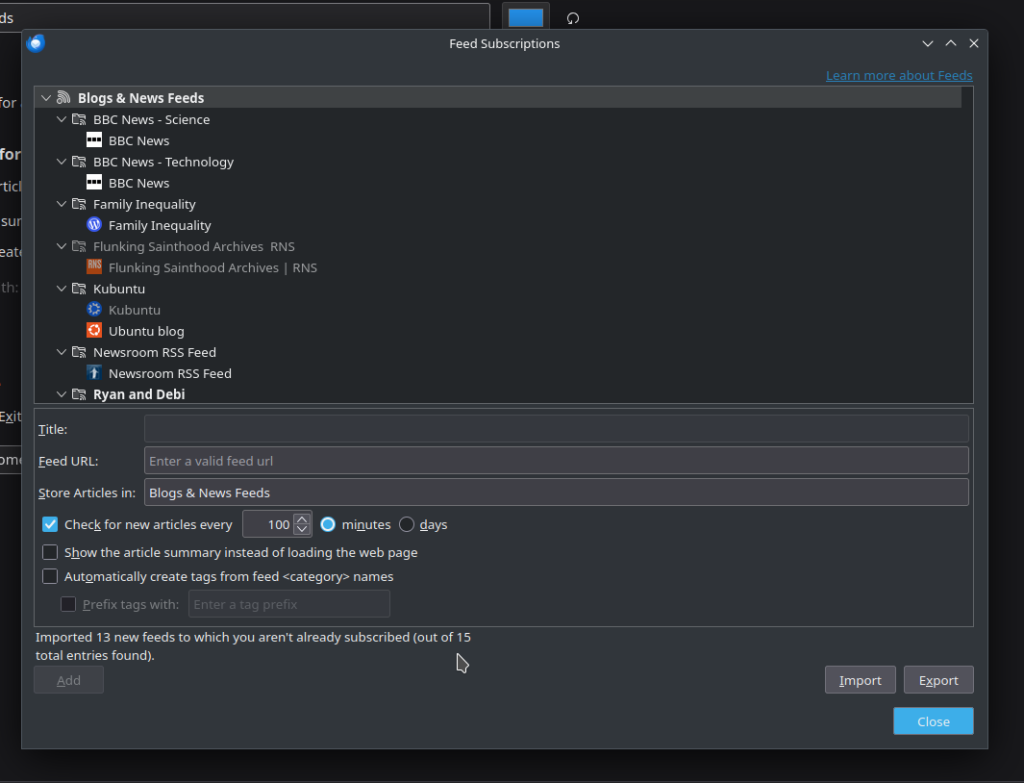
You can see at the bottom it caught the duplicates: “Imported 13 new feeds to which you aren’t already subscribed (out of 15 total entries found).”
You can now run update feeds on your feeds on the new computer and you should have all of your feeds up and running on your new machine.
If anyone is aware of a way to synchronize RSS feeds across machines using Thunderbird, I’d love to know about it.

